

Automate your betting with the Bf Bot Manager software for Betfair, Betdaq or Matchbook Exchanges
Grouping Bots
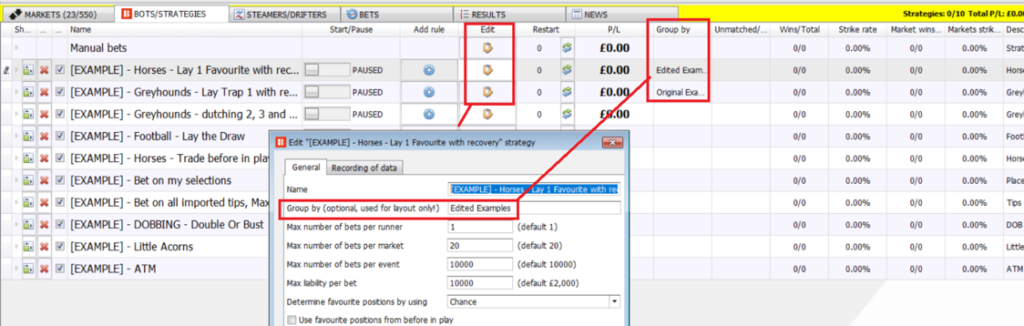
I give the bot sets group names to make them easier to view and keep separate.
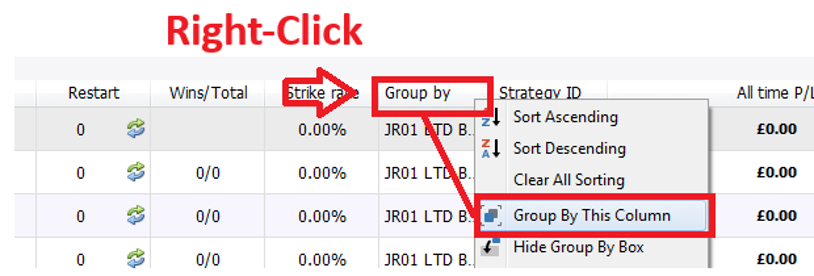
If you right-click on the “Group by” column header and select “Group by this column, it should put the bots into groups.
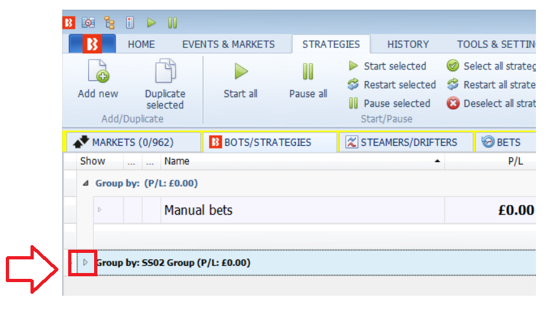
You can then open or close a group by clicking on the small triangle on the far left of the group name.
You can see how to group strategies in this two-minute video:
https://youtu.be/Gb1CF7XiSXM?si=sFuylfVGsrvak8jv
You can easily edit the name of the group that a strategy is in by using the “Edit” button for the strategy. This function only affects the ordering and layout of your strategies. It has no effect on the actual function of the strategy in term of betting.
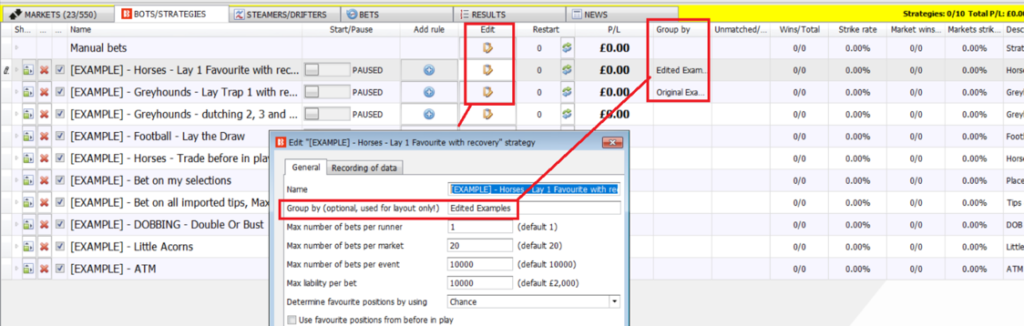

Here is more information about grouping and naming bots.
Group by
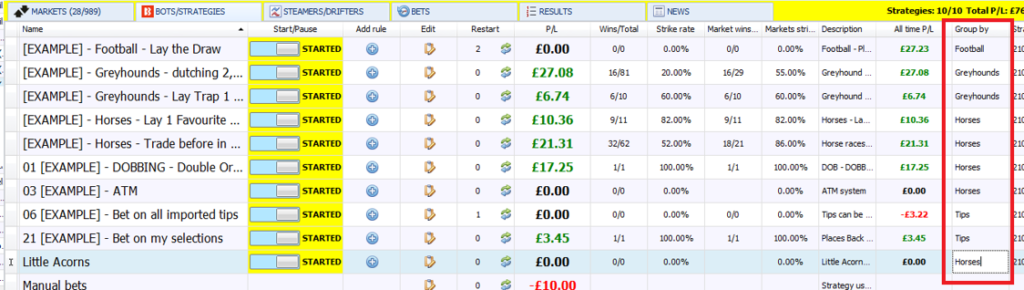
The “Group by” column is another very useful tool in managing larger numbers of strategies. You can left-click on each box and enter any text. If you enter the same text in different boxes, those strategies will be grouped together.
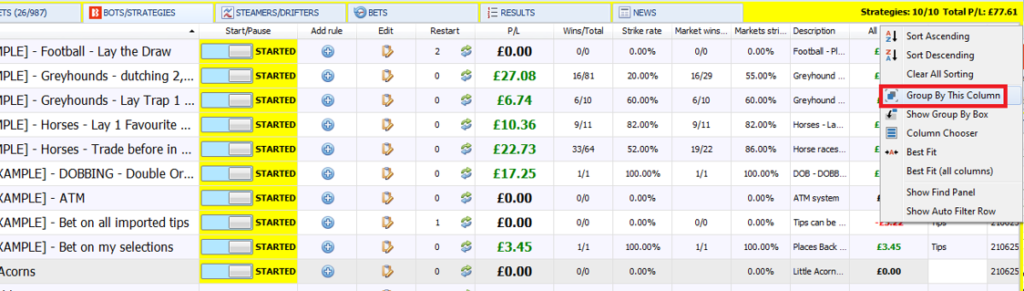
Right-click on the “Group by” column header and select “Group By This Column”.

The strategies will then be grouped by the text written in their “Group By” column. Each strategy in the same group will have their P/L amounts added together to give an overall P/L for that group. This can be very useful when using a set of strategies together.
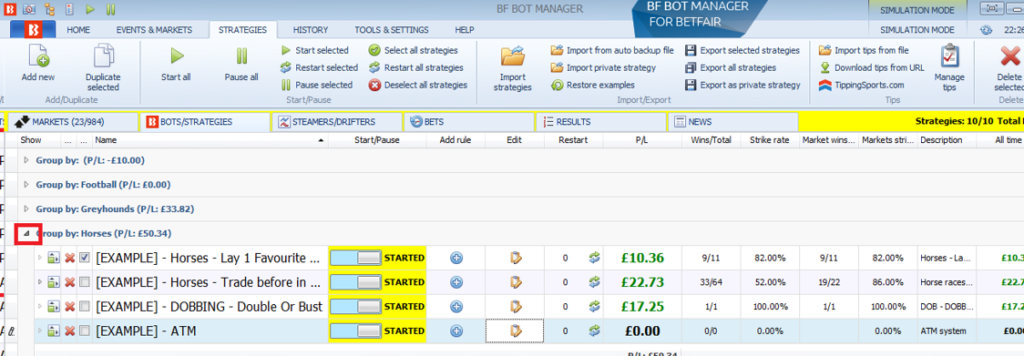
Left-clicking on the arrow on the left of a group name will open that group up to see the strategies inside this group. You can then edit them, add rules, duplicate and delete as usual. Note that you cannot edit the “Group by” column in this view. You would need to ungroup them to edit the “Group by” column again.
Clearing Grouping Step 1
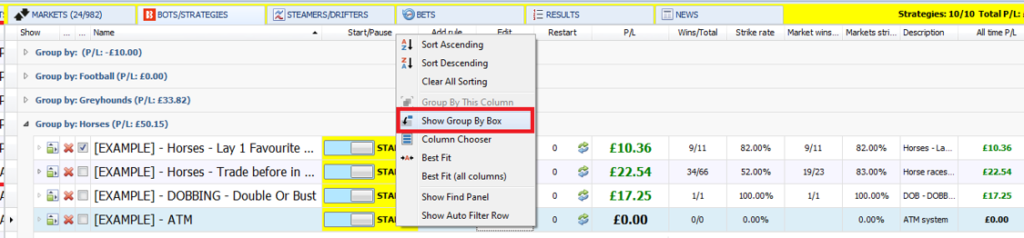
To clear the grouping, first right click on any column header and click on “Show Group By Box”.
Clear Grouping Step 2
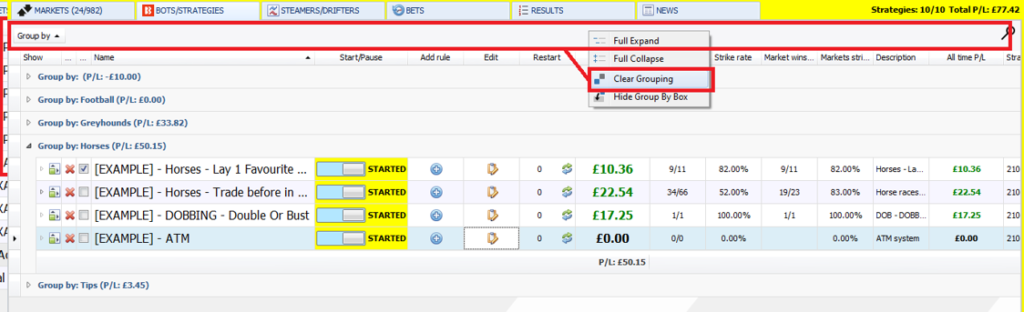
Then right-click on the Group By Box which is the grey bar that appears above the column headers. Then click on “Clear Grouping”. This will ungroup the strategies and you can again edit the “Group by” column on the right if needed.
Grouping strategies is a great way to manage multiple strategies and especially if you want to know the combined P/L of a group of strategies without having to add them up all separately each time. You can also sort and rank just those grouped strategies by P/L, hit rate and so on.

Bot Name

The name column can be ranked alphanumerically by left-clicking on the column header.
Please note that it is not possible to manually re-order how strategies appear in the list, but you can edit their names to sort them into the order that you want. It is also possible to sort strategies using the “group by” column.
Strategies sorted alphabetically
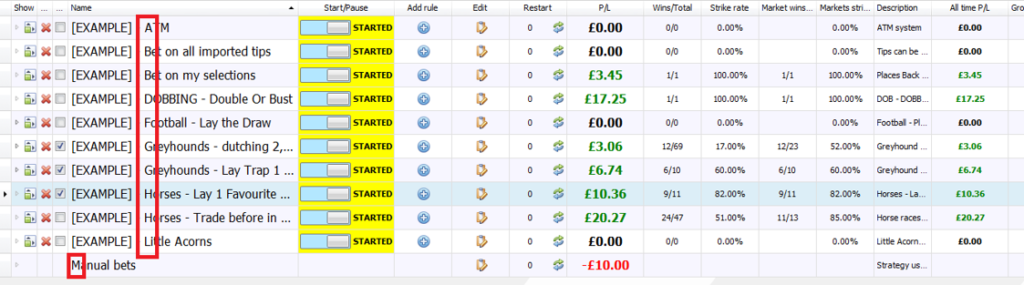
If you use numbers at the beginning of strategy names, it is best to use “01” instead of just “1” so that once the numbers reach 10 or more, that they are alphanumerically sorted correctly. This is often the easiest way to control the order that strategies appear when sorted alphanumerically.
Strategies sorted alphanumerically – special character -> numbers -> letters
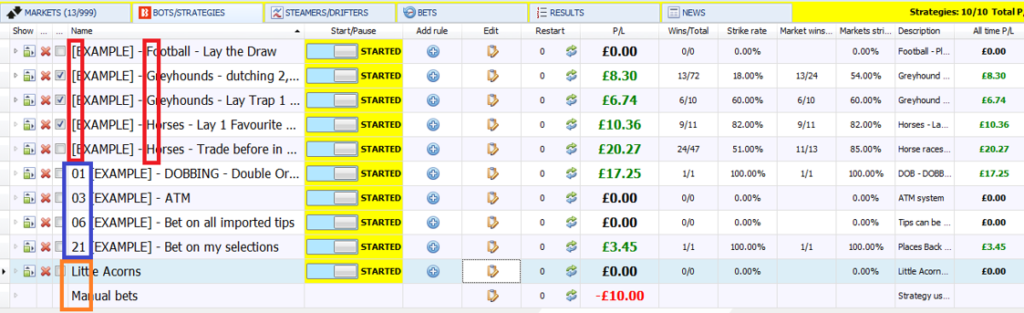
This shows how naming formats will affect the order strategies get sorted in the name column.
Special characters come first, then sorted by the next differentiating number, then letter. (red)
Numbers are sorted next, then sorted by the next differentiating letter. (blue)
Letters are sorted last if there are no special characters or numbers before it. (orange)